
Ongoing care with the owner still in control

Keep your Google Business Profile current without wondering who changed what.

A weekly post from your finished projects, a reply to every review written from the real job details, scheduled monitoring, and approved updates, all through supported manager access while you keep ownership.

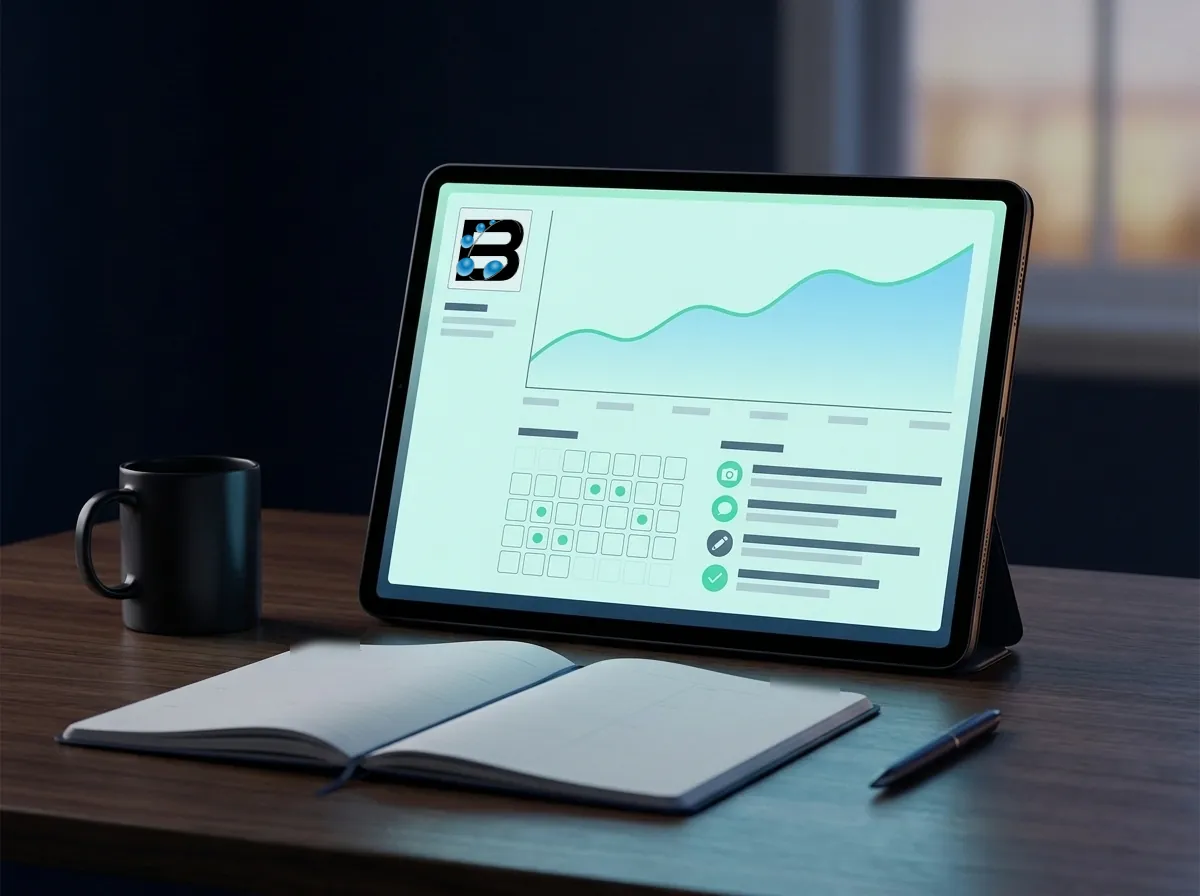
Illustrative monthly profile care report on a tablet, with a trend line, a calendar of scheduled checks, and a log of approved updates
Illustrative example, not client data

A profile is a live customer touchpoint

Hours change. Services are added. Customers upload photos, suggest edits, and leave reviews that need a thoughtful response. When several people touch the profile, small inconsistencies can remain for months unless one person owns the operating record.

Biancorp manages the agreed work through a supported manager role while the client keeps ownership. Each week a real finished project becomes a Google post, and every new review gets a reply written from what actually happened on the job. The monthly report explains what changed, what customers did afterward, which issues remain open, and what we recommend next. Routine work is never padded to make the report look busy.

What is included

Monthly care should prevent surprises and reduce owner workload.

The exact cadence is set in the proposal, with approvals and responsibilities defined before recurring work begins.

Deliverable 01

A weekly post from your finished projects

Each week we turn a real completed job into a Google post: the work that was done, the city it was in, and photos you have approved. Projects already on your website are a natural source, and the post links to the matching project or service page. No stock photos and no filler offers.
Deliverable 02

Review replies built from the real job

When a review arrives, positive or critical, we email you a few quick questions: what work was done, the city or neighborhood, who was on the job, and anything the customer mentioned. Your answers become a specific, professional reply. We never post a detail the customer did not make public or approve.

Deliverable 03

Review request kit for your crew

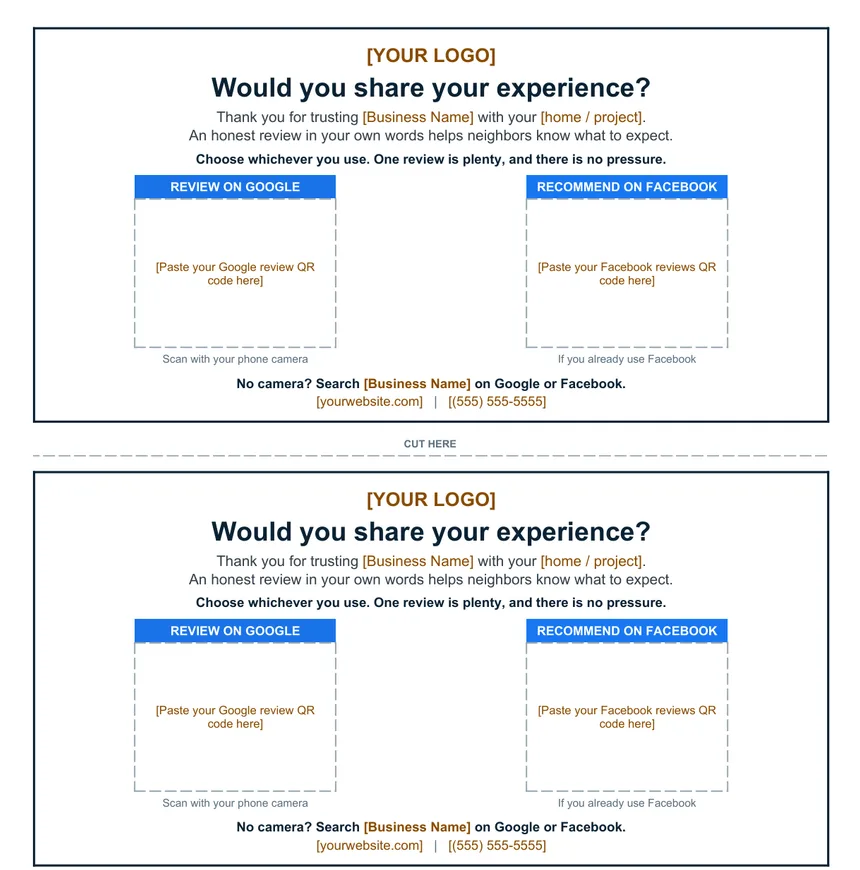
Every client gets a printable review card with your Google and Facebook QR codes, plus the text scripts and rules that keep review requests within Google's policies: ask every customer, ask for honest words, never offer an incentive. The template is free to download below.

Deliverable 04

Scheduled profile checks

We check for suggested edits, public changes, duplicates, access issues, inaccurate customer-facing information, and unusual profile conditions at the agreed cadence.

Deliverable 05

Owner-approved updates

Hours, services, attributes, photos, offers, links, and timely customer information are updated according to the written scope and approval rules.

Deliverable 06

Monthly operating report

A concise record shows completed changes, open issues, profile interactions, website response, qualified inquiries when available, and the next recommendation.

Pricing follows the profile, not a package.

The monthly fee depends on how many posts, reviews, locations, and updates the profile needs. Tell us about the business and we will send a written quote with the cadence spelled out.

Get custom pricing

Free download

Review Request Kit: a printable card and a routine your crew can follow.

The same system we set up for clients. Hand the card over when the job is done, send one text, and reply to every review with the real details of the work.

  • Two review cards per letter-size page, with spaces for your Google and Facebook QR codes
  • Step-by-step routine from the final walkthrough to one polite reminder
  • Word-for-word card handoff, text, and reminder scripts
  • Review rules that keep requests within Google's policies
  • Video testimonial permission text and a paper release
  • Review reply sheet and examples for positive and critical reviews

Free, no email required. Replace the bracketed items with your own details before printing.

Printable review card template with two cards per page, each asking for an honest review with spaces for a Google review QR code and a Facebook QR code
Page 1 of the kit: two cards per letter-size sheet

How the work proceeds

The client owns the profile; the written workflow covers approvals, edits, and reporting.

01

Confirm control and approvals

We document the client owner, Biancorp's manager role, primary contacts, approval thresholds, emergency handling, and offboarding process.

02

Create the operating baseline

Current profile details, website destinations, measurement sources, reputation workflow, and known issues become the starting record.

03

Maintain the agreed scope

We publish the weekly project post, ask you about each new review and reply to it, perform scheduled checks and updates, investigate unexpected changes, and record decisions as they happen.

04

Review and choose the next priority

The client sees customer actions, lead quality where available, visibility patterns, open risks, and the reason for the next recommendation.

Measurement and limits

Reporting separates the work performed from the customer and business outcomes that followed.

What the monthly review can cover

  • Profile interactions and tagged website sessions
  • Calls, forms, appointments, qualified opportunities, and won work when available
  • Posts published, review reply turnaround, recent review patterns, and issue resolution
  • Controlled local visibility scans when included and a complete profile edit log

How account control is protected

  • The client's organization remains the profile owner; Biancorp uses a supported manager role
  • Management fees pay for professional services; creating and owning a Google Business Profile is free
  • Biancorp does not request passwords, backup codes, authenticator secrets, or one-time verification codes

Straight answers

Questions about gbp management

Who owns the Google Business Profile?

The client does. Biancorp is invited as a manager for the work described in the engagement. The client can review access and remove the manager role at any time.

What work happens every month?

Most plans include four weekly project posts, a reply to every new review, scheduled profile checks, approved updates, and a monthly report. A proposal may add citation coordination, website alignment, or controlled visibility scans, and it states the cadence instead of implying that every profile needs the same activity.

How do the weekly posts work?

We pick a recently finished project, write a short post about the work and where it happened, and use photos you have approved. If your website has a page for that project or service, the post links to it. You see the schedule, and you can hold or change any post before it goes out.

What do you need from me when a review comes in?

A short reply to our email: the service, the general area, who did the work, and anything that stood out. Two or three sentences is enough. For a critical review we also ask what happened, so the reply stays calm and factual and offers a direct way to resolve it.

Can I download the review kit without hiring you?

Yes. The printable PDF and the editable Word version are free on this page. Replace the bracketed items, add your Google and Facebook QR codes, print on letter paper, and cut along the line.

Can I see every important change?

Yes. The operating record shows the meaningful edit, its date, the reason, and the approval when one was required. Unexpected outside changes are documented as well.

Discuss GBP Management

If the profile needs dependable care after the initial repairs, we can define a monthly cadence around the changes your business actually makes.

Share what applies, choose the closest working budget or planning range, and never submit passwords or verification codes. We will review the request and, if a meeting would help, coordinate a free Google Meet.

Start the consultation requestRequest first · free Google Meet · nationwide